Four steps, about a minute of work plus however long your connection needs. No account, no app, nothing to install.
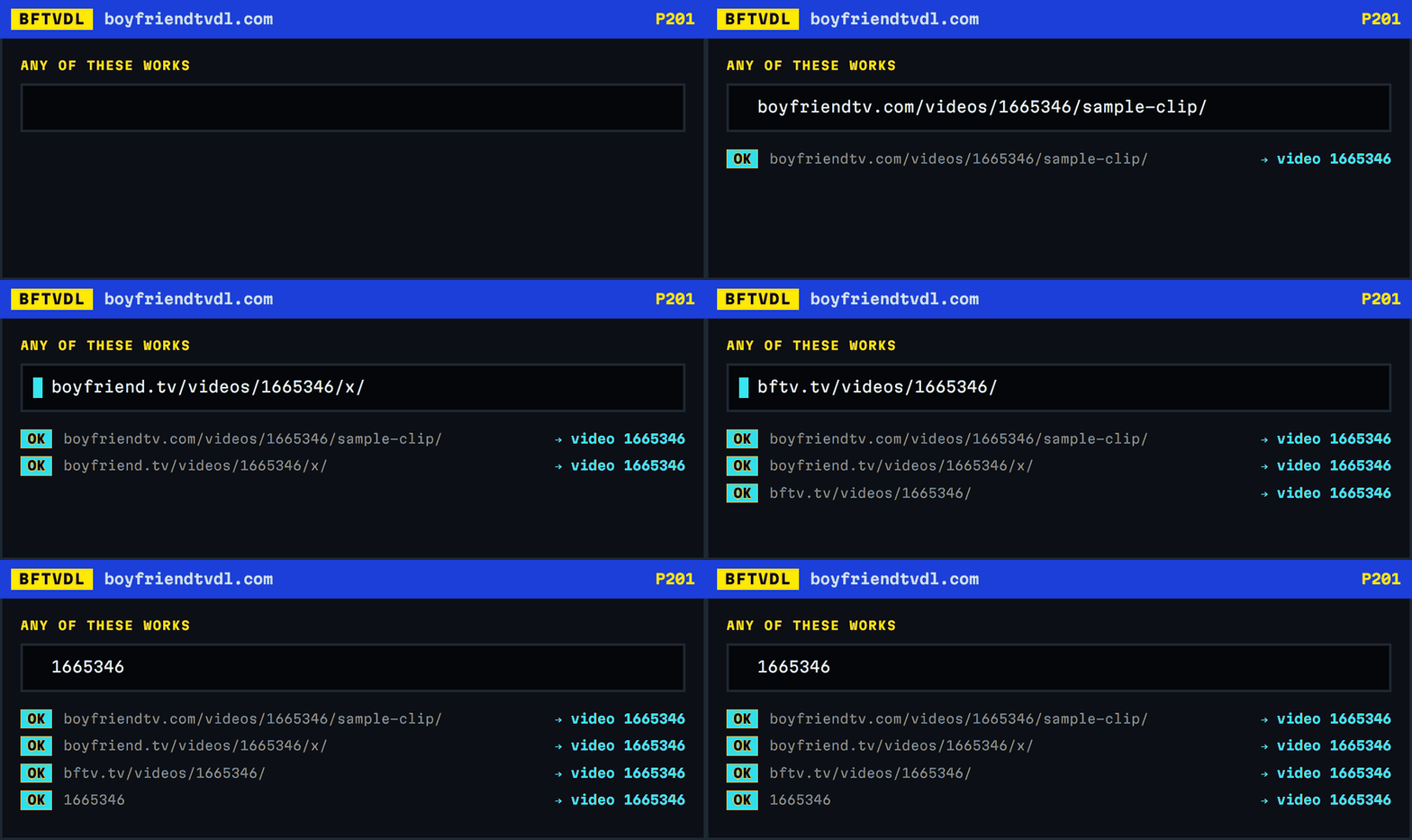
1. Copy the address of the video
Open the video on BoyFriendTV and copy the address out of your browser bar. It looks like boyfriendtv.com/videos/1665346/some-title/.
The mirrors work too: boyfriend.tv, boyfriendtv.org, boyfriendtv.net, bftv.tv and bftv.gay all resolve to the same videos, and the tool accepts any of them.
You can also paste just the number — 1665346 on its own is enough. The slug after it does not matter; a wrong one still finds the right video.
2. Key it in and press GET
Paste it into the address row on the front page and press GET. It takes about a second: the server reads the video page and the stream index, roughly 330 KB in total, and reads back what the video actually offers.
3. Pick a quality
You will see only the qualities that video really has. Most BoyFriendTV videos offer 240p, 480p and 720p; 1080p and 4K appear only when the uploader supplied them, and plenty of videos stop at 720p.
Each row shows an estimated size. The estimate comes from the stream's average bitrate multiplied by the duration, and in testing it landed within half a percent of the finished file.
4. Press SAVE and leave the tab open
This is the part that takes time, and it is worth understanding why. Your browser fetches the video in four-second segments and joins them into an MP4 on your device. A five-and-a-half minute video at 720p is 82 segments and about 83 MB; the same video at 4K is closer to 400 MB.
The progress bar shows one block per segment, so you can count exactly what has arrived. HOLD stops it. Closing the tab stops it too, and nothing is saved.
When it finishes, the browser saves the file with a name built from the video title.
If something goes wrong
Each failure gets its own page number so you can tell them apart. P404 means there is no video at that number. P410 means BoyFriendTV deleted it. P403 means the page loaded but carries no stream, which usually means private or members-only. P408 means the stream link expired — they last about two hours, so search the video again for a fresh one.