The ladder looks obvious and mostly is, but two things about it are genuinely misleading, and one of them will surprise you.
The ladder is named by height, not width
A quality is named for how many lines tall it is. 720p is 720 lines. 4K is 2160 lines. The width is whatever the shape of the video makes it.
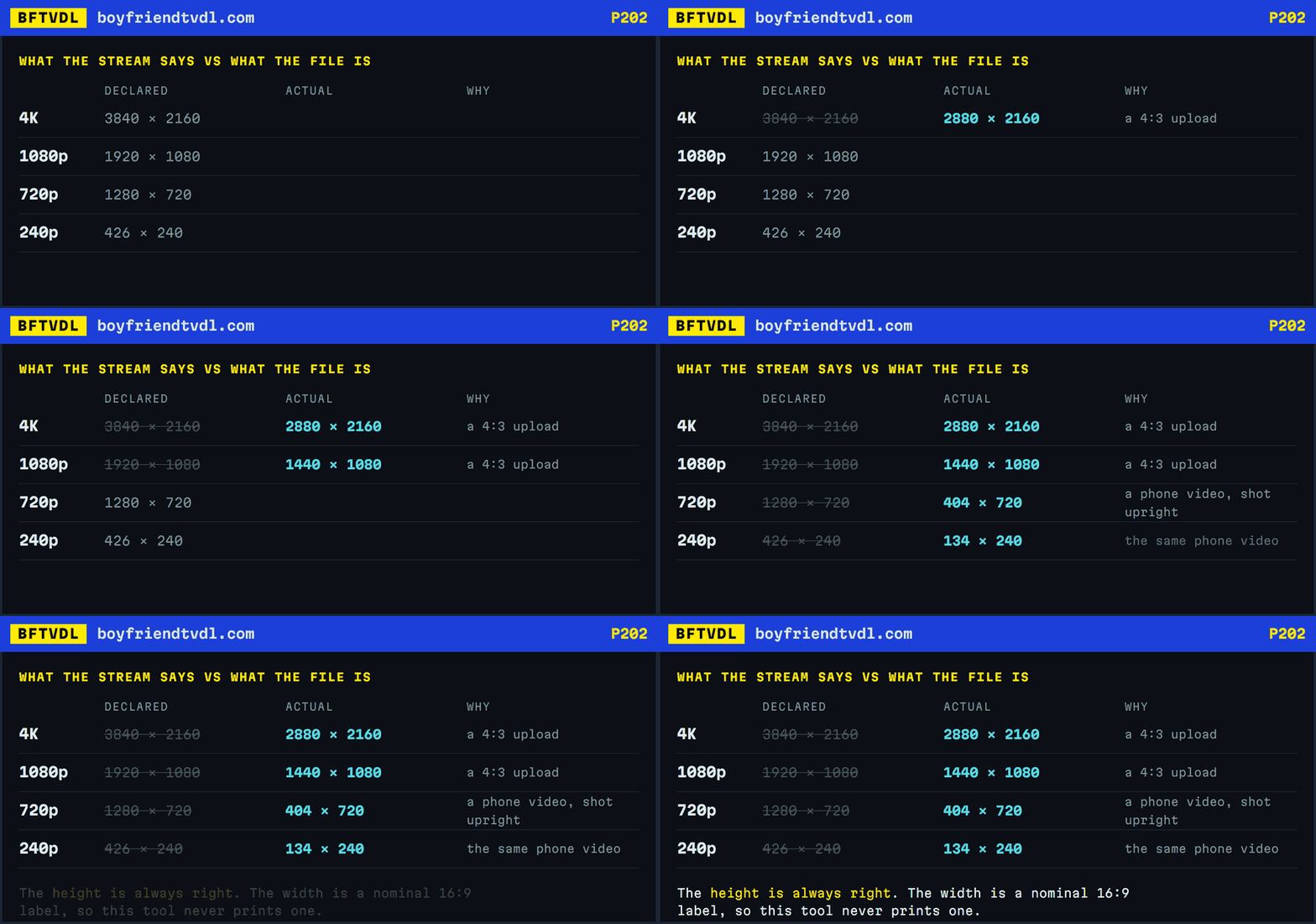
This matters more than it sounds, because the stream index BoyFriendTV publishes always declares widescreen widths — 3840×2160, 1920×1080, 1280×720, 854×480, 426×240 — regardless of the actual video.
Checked against the real files across several videos, the height is always exactly right and the declared width is frequently wrong. A 4:3 video labelled 426×240 is really 320×240. A vertical phone video labelled the same is really 134×240. That is why this tool shows the line count and the estimated size, and does not print a width it knows can be false.
What each rung costs you
For a five-and-a-half minute video, measured: 240p is about 20 MB, 480p about 43 MB, 720p about 83 MB, 1080p about 142 MB and 4K about 397 MB.
Those scale with length. A twenty-minute video at 1080p is over half a gigabyte, and the time to fetch it scales the same way.
4K is often not worth it
A 4K rung exists only if the uploader supplied one, and on a tube site the source is frequently a phone recording that was upscaled somewhere along the line. You pay five times the size and five times the wait for a file that may carry no more real detail than the 1080p.
If the video looks soft at 720p, 4K will look soft and enormous.
On a phone, pick 720p
The whole MP4 is assembled in memory before your browser writes it to storage. On a desktop that is fine. On a phone, a 400 MB file being built in a browser tab is where things fail — the tab can be reclaimed by the operating system partway through and you lose the lot.
720p is the sensible ceiling on a phone, and on a phone screen it is also the point past which you would struggle to see a difference.